

-
[Monthly subscription] Kestose (3g x 30 sachets) Intestinal environment prebiotic oligosaccharide
Regular price $26.00 USDRegular priceUnit price per -
[Monthly subscription] Kestose (3g x 30 sachets) x 2 sets Intestinal environment prebiotic oligosaccharide
Regular price $52.00 USDRegular priceUnit price per -
[Monthly subscription] Kestose (3g x 30 sachets) x 3 sets Intestinal environment prebiotic oligosaccharide
Regular price $78.00 USDRegular priceUnit price per -
[Monthly subscription] Kestose (3g x 30 sachets) x 4 sets Intestinal environment prebiotic oligosaccharide
Regular price $103.00 USDRegular priceUnit price per -
[Monthly subscription] Kestose (3g x 30 sachets) x 5 sets Intestinal environment prebiotic oligosaccharide
Regular price $128.00 USDRegular priceUnit price per -
[Subscription every 2 months] Kestose (3g x 30 packets) Intestinal environment prebiotic oligosaccharide
Regular price $26.00 USDRegular priceUnit price per -
[Subscription every 2 months] Kestose (3g x 30 packets) x 2 sets Intestinal environment prebiotic oligosaccharide
Regular price $52.00 USDRegular priceUnit price per -
[Subscription every 2 months] Kestose (3g x 30 packets) x 3 sets Intestinal environment prebiotic oligosaccharide
Regular price $78.00 USDRegular priceUnit price per -
[Subscription every 2 months] Kestose (3g x 30 packets) x 4 sets Intestinal environment prebiotic oligosaccharide
Regular price $103.00 USDRegular priceUnit price per -
[Subscription every 2 months] Kestose (3g x 30 packets) x 5 sets Intestinal environment prebiotic oligosaccharide
Regular price $128.00 USDRegular priceUnit price per
![[Monthly subscription] Kestose (3g x 30 sachets) Intestinal environment prebiotic oligosaccharide](http://aidaya.shop/cdn/shop/files/11_84177fe6-a9b2-436e-9d65-c2e970fa88c1.png?v=1756813170&width=533)
![[Monthly subscription] Kestose (3g x 30 sachets) x 2 sets Intestinal environment prebiotic oligosaccharide](http://aidaya.shop/cdn/shop/files/12_b0502f55-0a97-4613-b661-389adc8bddf7.png?v=1756813168&width=533)
![[Monthly subscription] Kestose (3g x 30 sachets) x 3 sets Intestinal environment prebiotic oligosaccharide](http://aidaya.shop/cdn/shop/files/13_a64c499a-e4be-4527-8cf5-204f1f8e5895.png?v=1756813169&width=533)
![[Monthly subscription] Kestose (3g x 30 sachets) x 4 sets Intestinal environment prebiotic oligosaccharide](http://aidaya.shop/cdn/shop/files/14_20a70cb9-ee50-4648-8d8c-12db833b463e.png?v=1756813166&width=533)
![[Monthly subscription] Kestose (3g x 30 sachets) x 5 sets Intestinal environment prebiotic oligosaccharide](http://aidaya.shop/cdn/shop/files/15_0887ff2c-3103-43f9-8c0d-415cb1fab939.png?v=1756813165&width=533)
![[Subscription every 2 months] Kestose (3g x 30 packets) Intestinal environment prebiotic oligosaccharide](http://aidaya.shop/cdn/shop/files/21_15ffa8a3-66cb-4f46-afa1-5253089a677d.png?v=1756813160&width=533)
![[Subscription every 2 months] Kestose (3g x 30 packets) x 2 sets Intestinal environment prebiotic oligosaccharide](http://aidaya.shop/cdn/shop/files/22_813bc54c-5aa8-4d0e-b77e-0248b2a53452.png?v=1756813159&width=533)
![[Subscription every 2 months] Kestose (3g x 30 packets) x 3 sets Intestinal environment prebiotic oligosaccharide](http://aidaya.shop/cdn/shop/files/23_4380b41a-2855-4562-9207-909491d27b51.png?v=1756813159&width=533)
![[Subscription every 2 months] Kestose (3g x 30 packets) x 4 sets Intestinal environment prebiotic oligosaccharide](http://aidaya.shop/cdn/shop/files/24_3dbfb1ef-e03e-4cf3-b847-c7f82d8c0106.png?v=1756813158&width=533)
![[Subscription every 2 months] Kestose (3g x 30 packets) x 5 sets Intestinal environment prebiotic oligosaccharide](http://aidaya.shop/cdn/shop/files/25_b12d1184-b5e1-4654-b287-7395c1a4407e.png?v=1756813157&width=533)
How to change your subscription
Please contact us via the inquiry form regarding changes to your subscription. Alternatively, you can make changes through your My Page. Below, we provide instructions on how to make changes from your My Page.
Log in to My Page
Please log in to your My Page and access the subscription management screen via the "Manage Subscription" button.

Select the subscription you wish to change
Please select the subscription you wish to change from the subscription list.
Save changes
Please change the delivery date, quantity, delivery address, etc., and click the save button.

Kestose Column
View all-

ケストースはどうやって作られる?原料は砂糖、「3糖」はつながった糖の数のこと
ケストースは、砂糖(ショ糖)に果糖が1つつながった「3糖」のオリゴ糖です。原料が砂糖なのに砂糖と何が違うのか、酵素を使った作り方の流れ、「最小単位のオリゴ糖」という言葉の意味を、研究者の論文などをもとに整理しました。
ケストースはどうやって作られる?原料は砂糖、「3糖」はつながった糖の数のこと
ケストースは、砂糖(ショ糖)に果糖が1つつながった「3糖」のオリゴ糖です。原料が砂糖なのに砂糖と何が違うのか、酵素を使った作り方の流れ、「最小単位のオリゴ糖」という言葉の意味を、研究者の論文などをもとに整理しました。
-

What’s the difference between kestose and lacti...
Kestose is food for beneficial bacteria (a prebiotic), while lactic acid bacteria and Bifidobacterium supplements provide the bacteria themselves (probiotics). Using the “seeds and fertilizer” analogy, we’ve clearly explained the...
What’s the difference between kestose and lacti...
Kestose is food for beneficial bacteria (a prebiotic), while lactic acid bacteria and Bifidobacterium supplements provide the bacteria themselves (probiotics). Using the “seeds and fertilizer” analogy, we’ve clearly explained the...
-
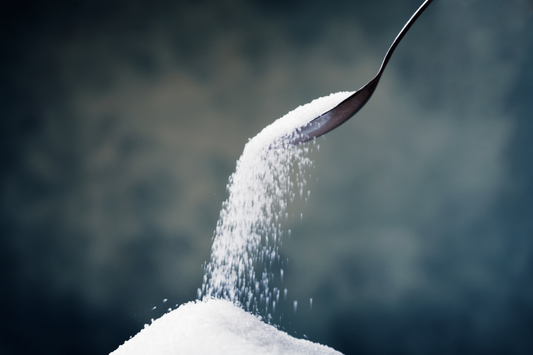
The strongest oligosaccharide! Effects of Kesto...
Why is kestose said to be the strongest oligosaccharide? Oligosaccharides increase the number of Bifidobacteria, which are good bacteria that help regulate the intestinal environment, but among these oligosaccharides, kestose...
The strongest oligosaccharide! Effects of Kesto...
Why is kestose said to be the strongest oligosaccharide? Oligosaccharides increase the number of Bifidobacteria, which are good bacteria that help regulate the intestinal environment, but among these oligosaccharides, kestose...


